Figma prototype to website
Turn a Figma prototype into a website
Paste your Figma prototype link and Figmafolio gives you a live site address. The site shows your prototype, so it looks and behaves as it does in Figma.
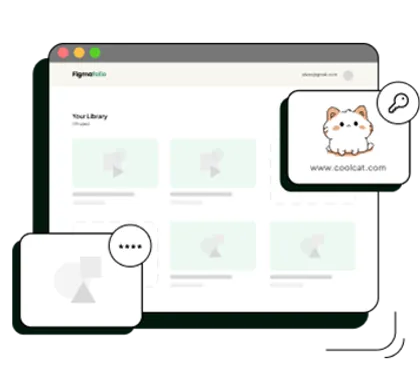
Short answer
Can a designer turn a Figma prototype into a website?
Yes, as a live site address. Paste a Figma prototype link into Figmafolio and the site shows your prototype with its interactions, ready to send. It does not convert the design into HTML and CSS, so it is not a coded website.
How to publish a prototype
- 1
Copy your prototype link
In Figma, share the prototype so anyone with the link can view it. Design, file and branch links are turned into prototype links when you paste them.
- 2
Paste it into Figmafolio
Figmafolio checks the link as you paste it. If a stranger cannot open the prototype, you get a note and a share guide.
Desktop
https://www.figma.com/proto/...PublishPhone
https://www.figma.com/proto/...Copy the link to your phone flow's starting frame in Figma.
Simplified picture of the site form. - 3
Share the address
Your site is live. Send the link to a recruiter or client, or add your own domain on the Solo and Pro plans.
Your domain
figmafolio.com/your-site View siteSimplified picture. The address is an example.
What you get
Desktop and mobile on one link
Changes show without republishing
Password for client work
Questions
Does Figmafolio turn my prototype into real web pages?
Figmafolio publishes your Figma prototype as it is, so interactions and transitions are Figma's own. It does not convert a design to HTML and CSS.
Do changes in Figma show on the site?
Yes. The site embeds the live prototype, so changes made in Figma show without publishing again.
How do I turn a Figma design system into a live marketing site?
Figmafolio does not build a marketing site from a design system. It publishes a Figma prototype as a live site. Build your marketing pages as a prototype and paste the link. If you need real coded pages, a site builder is the better fit: see the comparison with Figma Sites.
Can I use a different prototype on phones?
Yes. Add a desktop prototype and a mobile one. The site picks the right one by screen size, on one link.
Can I use my own domain?
Yes, on the Solo and Pro plans. See the pricing page for what each plan includes.
Can I put a password on it?
Yes, on every paid plan. This helps with client work and NDA projects.
What if people cannot open my prototype?
Figmafolio checks the link as you paste it. If a stranger cannot open the prototype, a note and a share guide appear.
Is it free?
Free for 7 days, then from $3 a month. After 7 days your site goes offline until you choose a plan.
Free for 7 days, then from $3 a month.
After 7 days your site goes offline until you choose a plan. Prices vary a little by country. See pricing for each plan.
Last checked .
Put your Figma prototype online
Publish from Figma and get a link you can share.
Free for 7 days, then from $3 a month.
After 7 days your site goes offline until you choose a plan. Prices vary a little by country.