Desktop and mobile on one link
One link for your desktop and mobile Figma prototypes
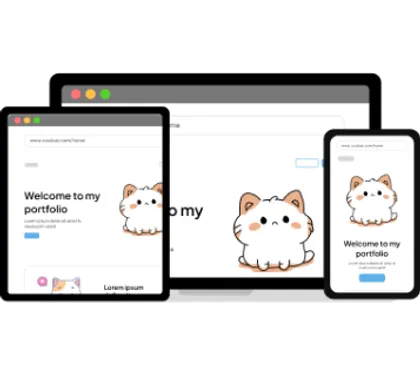
Add a prototype for desktop and one for mobile. Figmafolio shows the right one by screen size, on a single address you can send to anyone.
Short answer
Can one link show a desktop and a mobile Figma prototype?
Yes. Add a desktop prototype and, if you want one, a mobile prototype. Figmafolio picks between them by screen size on a single address. It does not adapt one design for you, and you set the switch point in the Viewport editor.
How it works
- 1
Paste your desktop prototype link
This is the prototype visitors see on larger screens.
Desktop
https://www.figma.com/proto/...Phone
https://www.figma.com/proto/...Copy the link to your phone flow's starting frame in Figma.
Simplified picture of the site form. - 2
Add a mobile prototype link
This is the prototype visitors see on phones.
Desktop
https://www.figma.com/proto/...Phone
https://www.figma.com/proto/...Copy the link to your phone flow's starting frame in Figma.
Simplified picture of the site form. - 3
Set the switch point
The breakpoint is chosen per site in the Viewport editor.
Phone up to 767 pxDesktop Everything widerSimplified picture. The width is an example.
The right design for each screen
You design each prototype in Figma, and Figmafolio shows the one that fits the visitor's screen size.
Questions
Does the site resize itself to fit a phone?
No. It does not adapt a single design. It shows your desktop prototype and, if you add one, your mobile prototype, and picks between them by screen size.
Do I need a mobile prototype?
No. Without one, visitors on every screen see the desktop prototype.
Can I choose where the switch happens?
Yes. The breakpoint is set for each site in the Viewport editor.
Is it one link?
Yes. You send one address and the site picks the prototype.
Is Figmafolio free?
Free for 7 days, then from $3 a month.
Free for 7 days, then from $3 a month.
After 7 days your site goes offline until you choose a plan. Prices vary a little by country. See pricing for each plan.
Related: Figma prototype to website.
Last checked .
Put your Figma prototype online
Publish from Figma and get a link you can share.
Free for 7 days, then from $3 a month.
After 7 days your site goes offline until you choose a plan. Prices vary a little by country.