Portfolio in Figma
Make a portfolio in Figma and put it online
Design the portfolio you already know how to make. Figmafolio turns the prototype link into a live address.
Short answer
Can I make a portfolio in Figma?
Yes. Design your portfolio as a Figma prototype, set it so anyone with the link can view it, then paste the link into Figmafolio. You get a live site address to send to recruiters and clients. Free for 7 days, then from $3 a month.
From Figma file to live portfolio
- 1
Design it as a prototype
Build your case studies and connect the screens, so the prototype plays the way you want people to see it.
- 2
Let anyone open it
Set the prototype to anyone with the link. If a recruiter cannot open it, this setting is usually why. The share guide shows where to change it.
Desktop
https://www.figma.com/proto/...Anyone with the link can open this prototype
Simplified picture of the link check. - 3
Paste it into Figmafolio
Figmafolio checks the link as you paste it, then gives you a live site address to send.
Desktop
https://www.figma.com/proto/...PublishPhone
https://www.figma.com/proto/...Copy the link to your phone flow's starting frame in Figma.
Simplified picture of the site form.
Stuck on sharing? Share a Figma prototype so anyone can open it.
What you can add
Desktop and mobile on one link
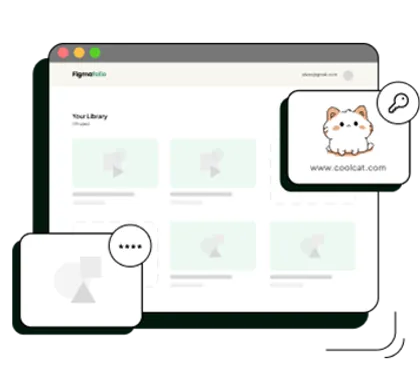
Your own domain
A password for private work
What it is not
A Figmafolio site is your Figma prototype shown in a frame. It is not a set of web pages, and it does not convert your design to code. That is fine for a link you send to people. If you want pages that search engines read, a site builder is the better fit: see Figmafolio and Figma Sites.
Questions
Can I make a portfolio in Figma?
Yes. Design it as a Figma prototype, set it so anyone with the link can view it, then paste the link into Figmafolio for a live site address you can send to recruiters.
Do I need to code?
No. Figmafolio shows your prototype as it is in Figma, so there is nothing to build or export.
Will my portfolio work on a phone?
Yes, if you add a mobile prototype as well as a desktop one. The site picks the right one by screen size, on one link.
Can I use my own domain?
Yes, on the Solo and Pro plans, so you can send yourname.com instead of a tool's address.
Will my portfolio rank on Google?
Do not count on it. Figmafolio shows your prototype in a frame, so search engines see a frame, not your pages. It suits a link you send to people. For pages that search engines read, use a site builder.
Is it free?
Free for 7 days, then from $3 a month. After 7 days your site goes offline until you choose a plan.
Free for 7 days, then from $3 a month.
After 7 days your site goes offline until you choose a plan. Prices vary a little by country. See pricing for each plan.
Related: Figma portfolio on your own domain, Password protected portfolio.
Last checked .
Put your Figma prototype online
Publish from Figma and get a link you can share.
Free for 7 days, then from $3 a month.
After 7 days your site goes offline until you choose a plan. Prices vary a little by country.